

XEMU is a really cool Original Xbox emulator based on QEMU that emulates nearly all the original Xbox Games, and even lets you connect to Insignia to play Xbox games online! It also works via Xlink Kai if you want to play Original Xbox LAN games with both real Xboxes but also 360/One/Series X owners who cannot use Insignia (as that's original only). Also Insignia only lets you play certain games, and some such as Mechassault 2 do not work over it but have LAN mode.
XEMU Download: https://xemu.app/docs/download/
To make the emulator work, you need to download the BIOS and HDD image files. These can be found here:
https://github.com/K3V1991/Xbox-Emulator-Files/releases/tag/v1
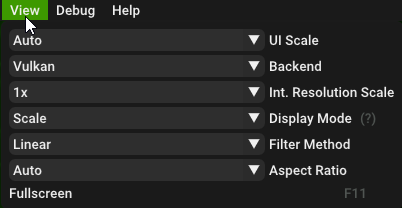
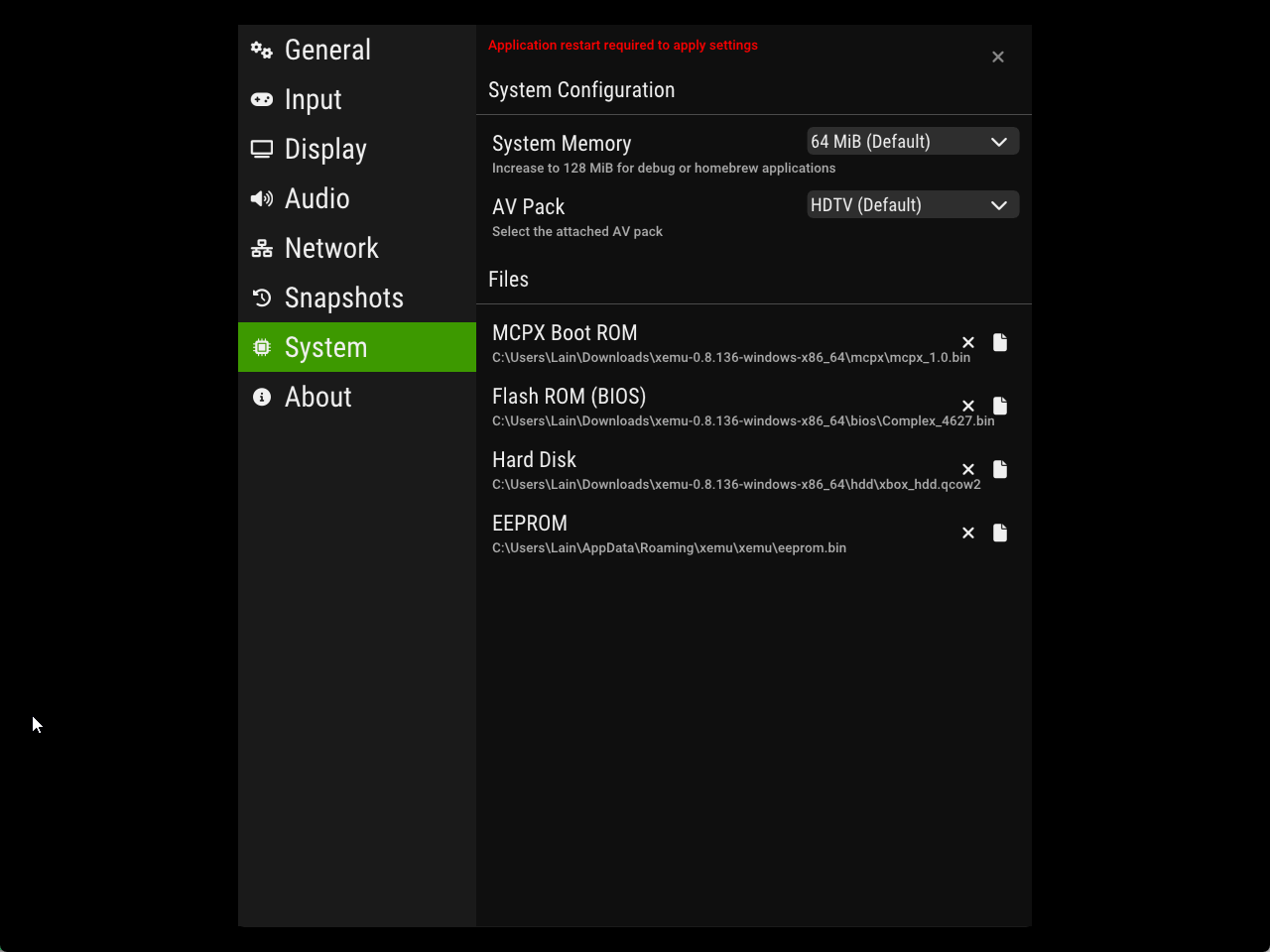
When you first launch the emulator, you will need to locate the mcpx, flash, and HDD images. You can paste these in the same folder and then just tell the emulator it's located there. This is important to run games. Once you do that, you will get a message saying to "please insert an Xbox Disc". To fix this, you can just use the Xbox Softmod Extra ISO and install the dashboard there. Insert the disc and click restart. Be sure to also switch the rendering backend to Vulkan under the View menu.
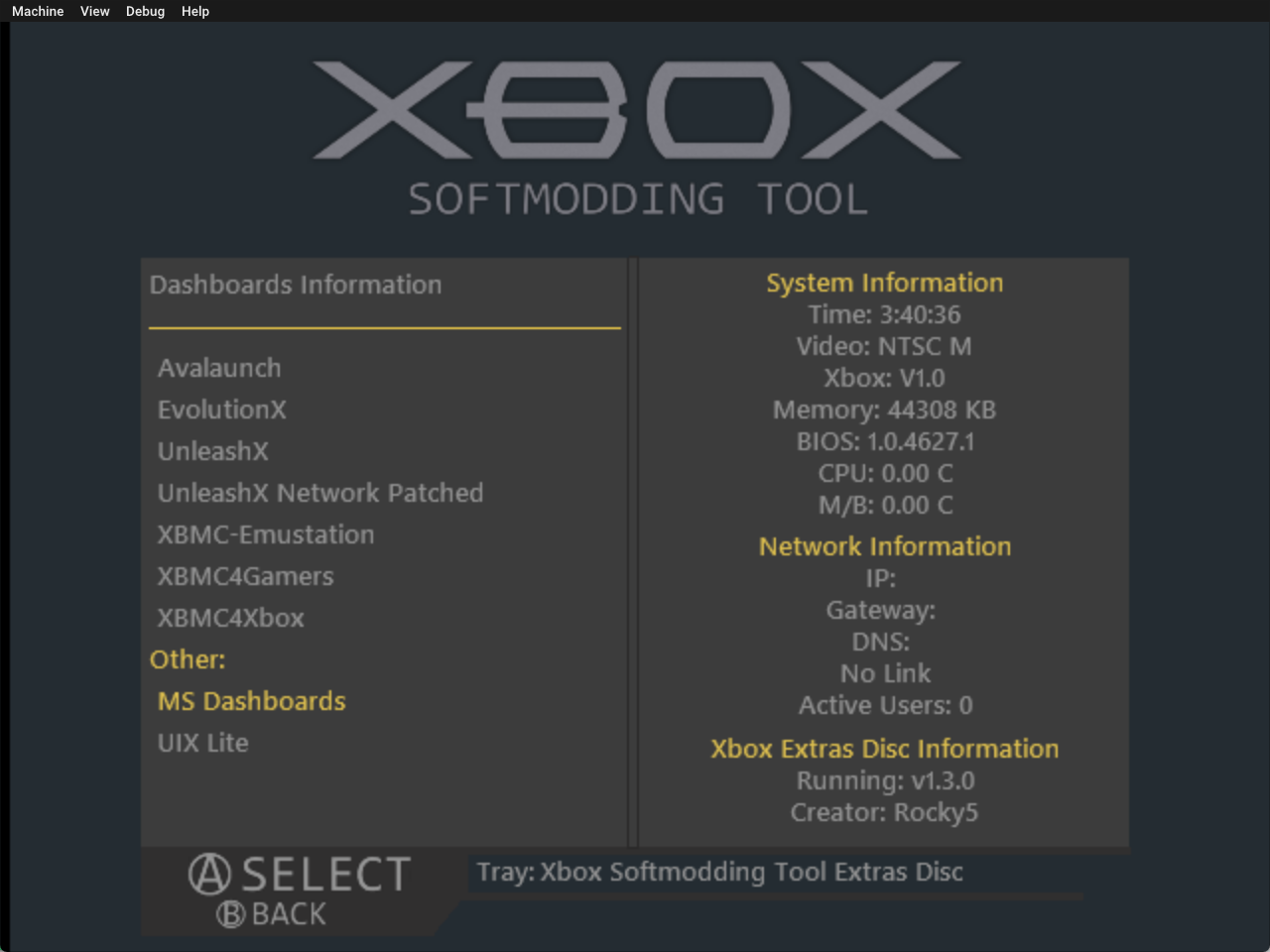 The ISO with the dashboard installers:
https://drive.google.com/drive/folders/1rT-1WAsiiHziy9YKYXN_wZWvMMwe3kqR
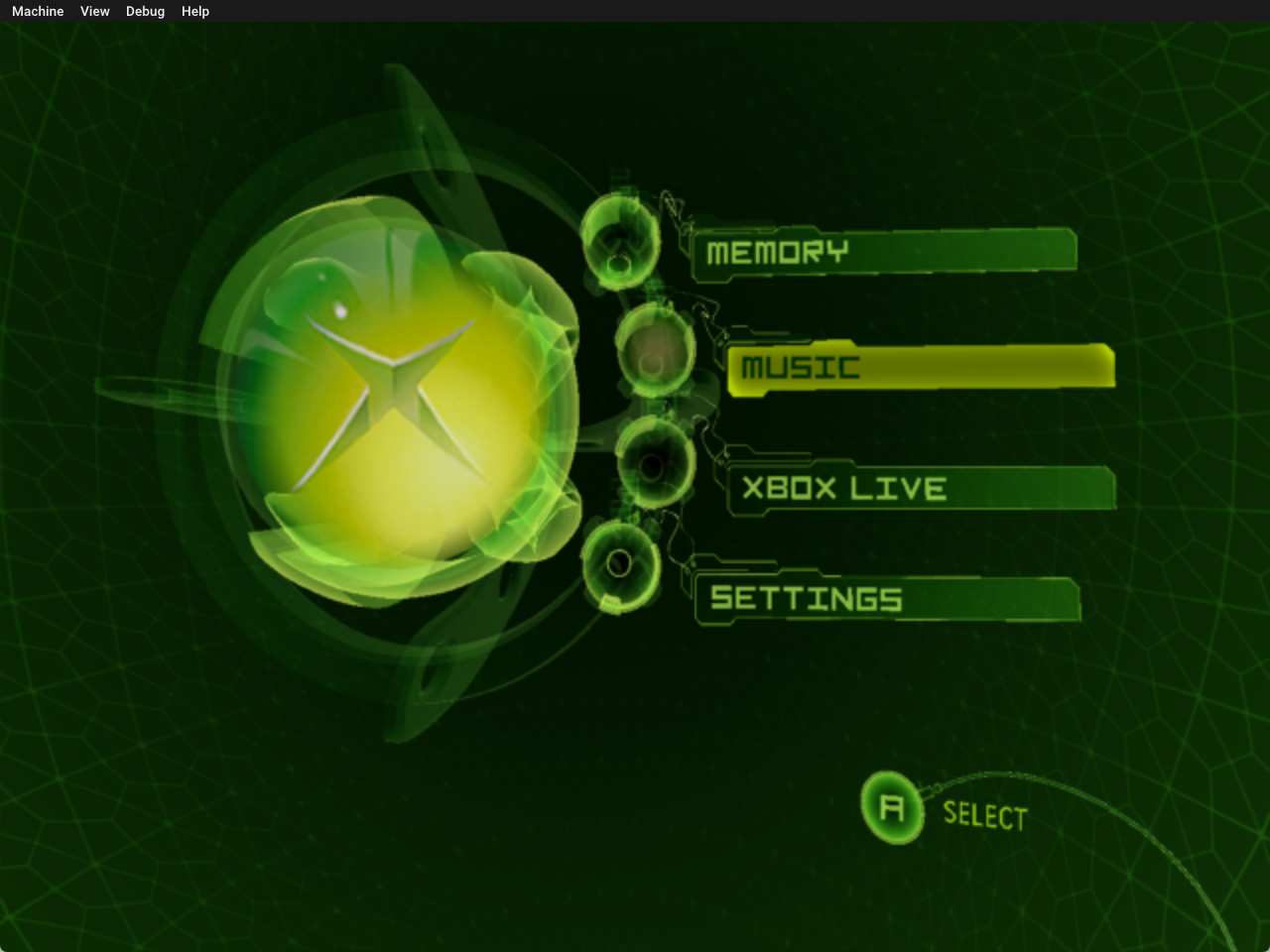
You will then tell it to install the dashboards, and then you can either install just the MS dashboard or also a modded Xbox dashboard to load files from the HDD you copy. You do have to install the MS dashboard regardless of what you decide! This will restore the Xbox dashboard and fix online functionality, as Xbox Live requires the original dashboard to be installed. Once that's done, reset the emulated console after ejecting the disc and you will be at the Xbox menu.
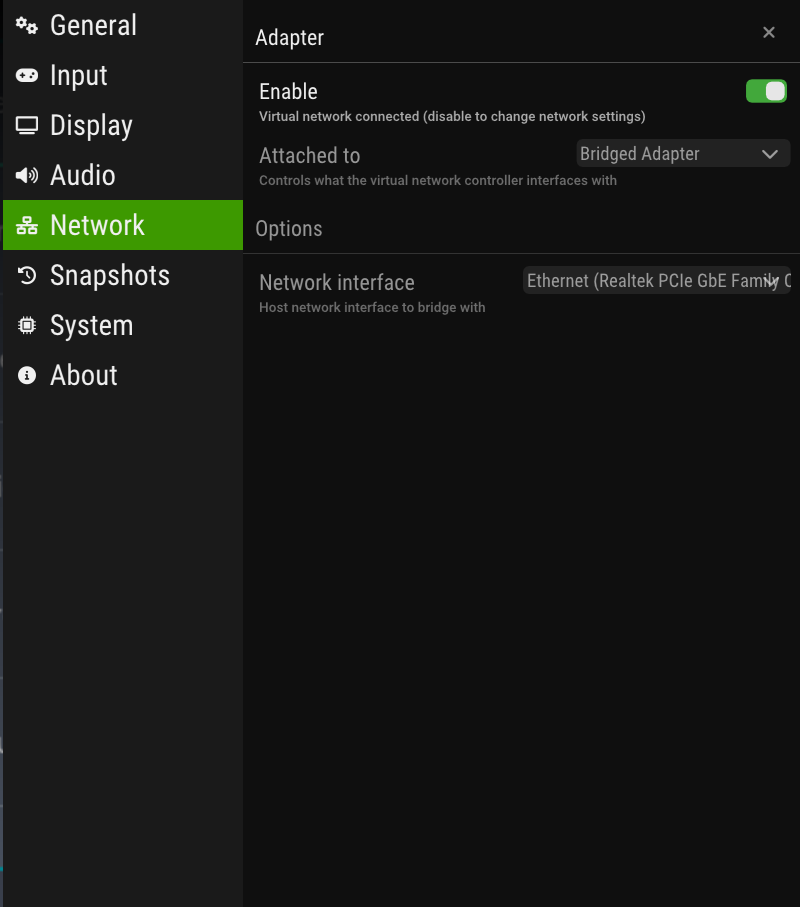
 The next step is to download the Insignia Setup as an iso file. Once you hit load disc it will instantly boot the installer and you can register it. BE SURE TO ENABLE NETWORKING!
https://github.com/insignia-live/setup-assistant-release/releases/tag/2025-01-19
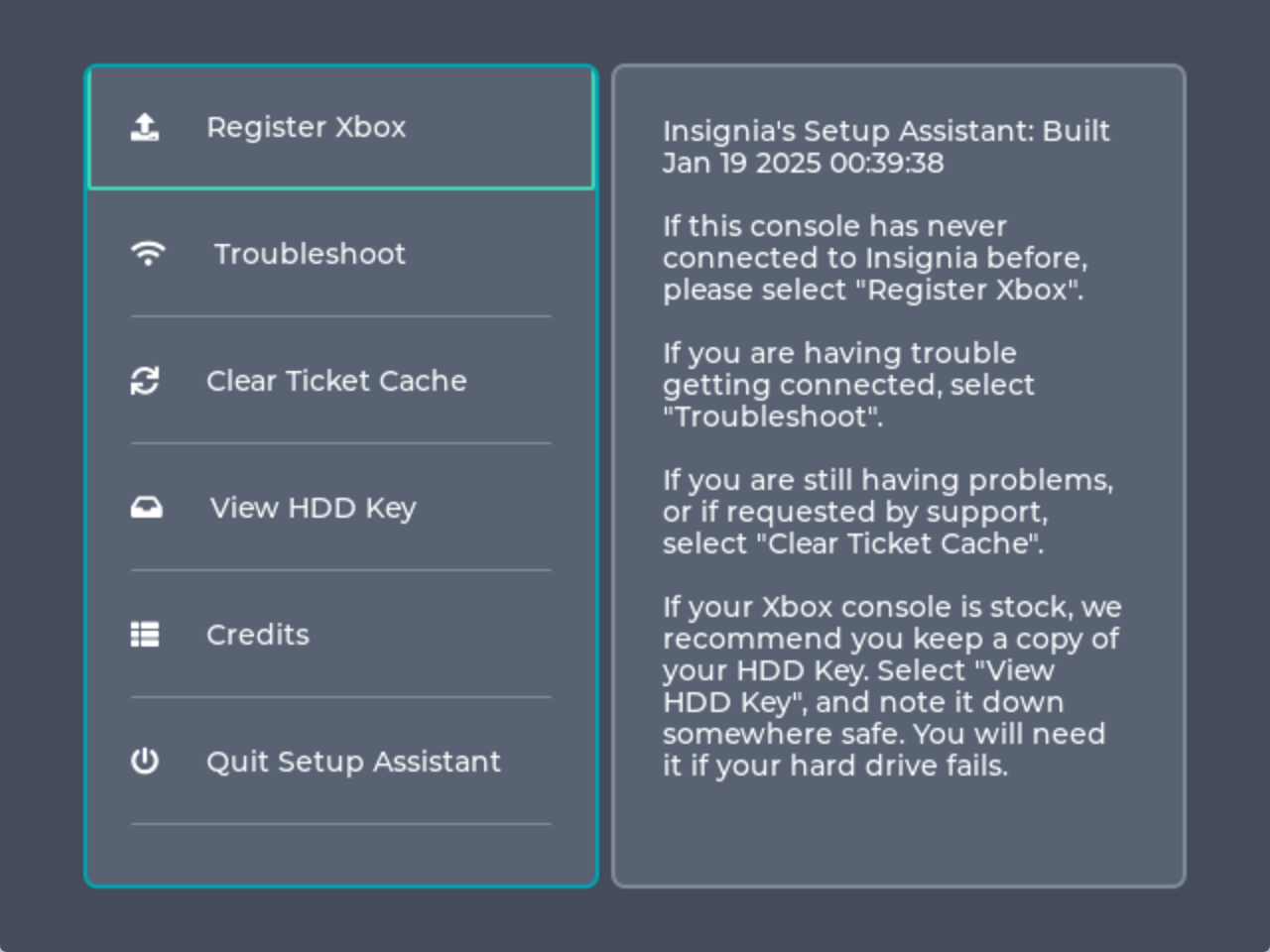 You will then either create or recover an Insignia account, this is listed in more detail on their site.
https://insignia.live/guide/connect
https://insignia.live/guide/recover
Some resources:
Original Xbox DLC packs (since paid DLC is never on Insignia):
https://digiex.net/threads/xbox-offline-xbox-live-downloadable-content-dlc-installers.675/
Insignia supported game list for online and "XBL Aware" games: https://insignia.live/games
Other notes:
Certain Xbox games like JSRF, MGS2, and GTA use pressure sensitive buttons, you'll need to pass through an original Xbox controller QEMU style for it to work:
https://github.com/xemu-project/xemu/issues/606
You can play Insignia on a real Xbox or XEMU. It does not work on the 360/One.
You can play Worms 4 Mayhem on this.
The ISO with the dashboard installers:
https://drive.google.com/drive/folders/1rT-1WAsiiHziy9YKYXN_wZWvMMwe3kqR
You will then tell it to install the dashboards, and then you can either install just the MS dashboard or also a modded Xbox dashboard to load files from the HDD you copy. You do have to install the MS dashboard regardless of what you decide! This will restore the Xbox dashboard and fix online functionality, as Xbox Live requires the original dashboard to be installed. Once that's done, reset the emulated console after ejecting the disc and you will be at the Xbox menu.
The next step is to download the Insignia Setup as an iso file. Once you hit load disc it will instantly boot the installer and you can register it. BE SURE TO ENABLE NETWORKING!
https://github.com/insignia-live/setup-assistant-release/releases/tag/2025-01-19
You will then either create or recover an Insignia account, this is listed in more detail on their site.
https://insignia.live/guide/connect
https://insignia.live/guide/recover
Some resources:
Original Xbox DLC packs (since paid DLC is never on Insignia):
https://digiex.net/threads/xbox-offline-xbox-live-downloadable-content-dlc-installers.675/
Insignia supported game list for online and "XBL Aware" games: https://insignia.live/games
Other notes:
Certain Xbox games like JSRF, MGS2, and GTA use pressure sensitive buttons, you'll need to pass through an original Xbox controller QEMU style for it to work:
https://github.com/xemu-project/xemu/issues/606
You can play Insignia on a real Xbox or XEMU. It does not work on the 360/One.
You can play Worms 4 Mayhem on this.
Posted at 2026/09/08, 03:44:45
Post ID: 8203

 My Pastebin clone